Apps talk like you're already a coach
Maintenance calories, macro splits, BMR — my wife opened three trackers and closed them all. The UI assumed knowledge she was still building. If you're new to deficit, you're lost before you log your first meal.
Solo app · 2026 · In progress
Deficit PH started at home — watching my wife figure out caloric deficit for the first time. Most apps assume you already know TDEE, macros, and why a 500 kcal gap matters. She didn't. Neither do a lot of people.
Built for people who want to lose weight sustainably — not crash, not guess, not give up on day three.
The problem
They hear 'eat less, move more' — but not what a safe deficit looks like, how to track it daily, or why the scale moves some weeks and not others.
Maintenance calories, macro splits, BMR — my wife opened three trackers and closed them all. The UI assumed knowledge she was still building. If you're new to deficit, you're lost before you log your first meal.
Extreme cuts feel productive until they're not. Without a clear daily target and progress that makes sense, people bounce between crash diets and giving up entirely.
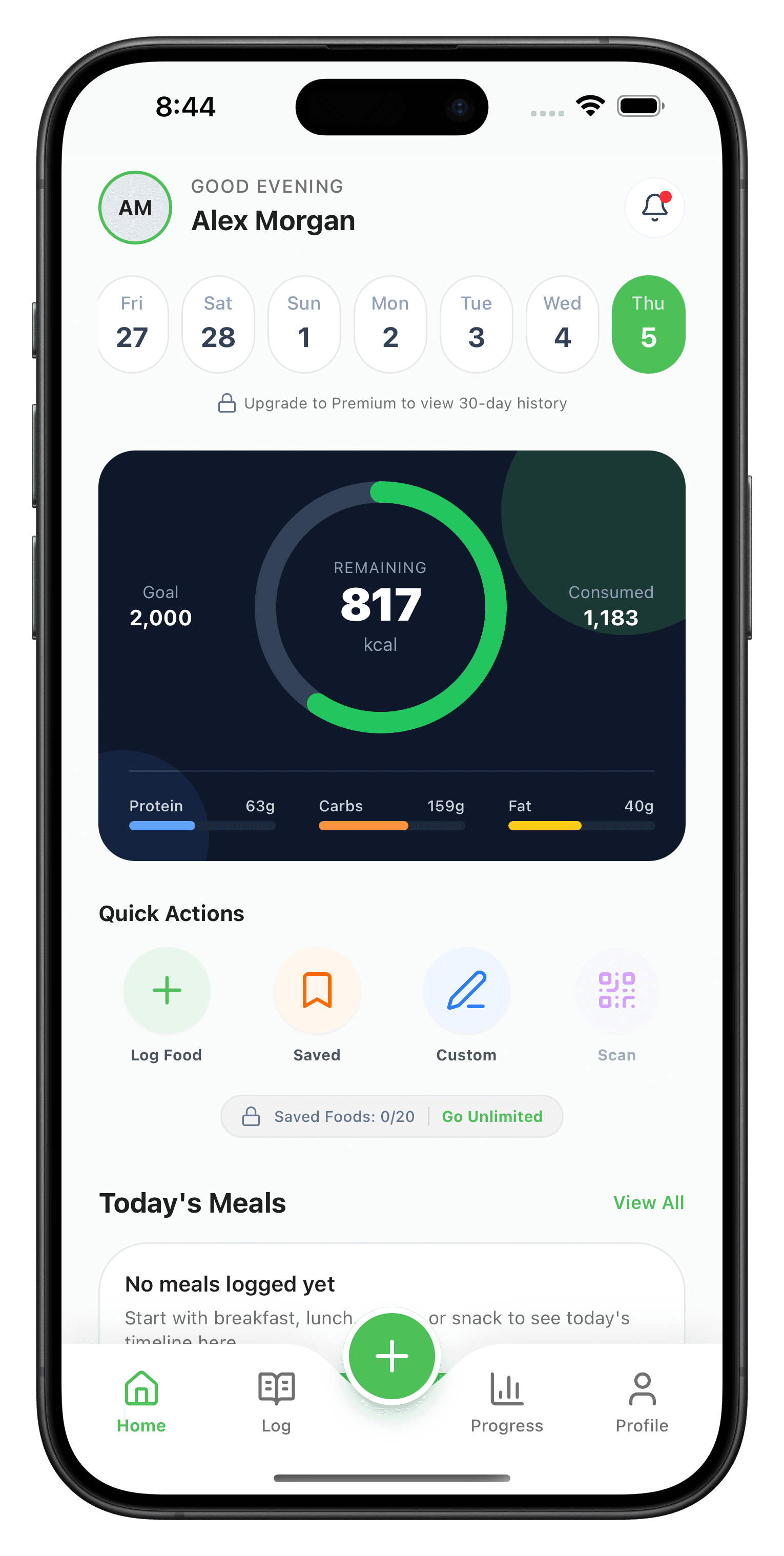
If recording lunch takes longer than eating it, the app loses. Beginners need a flow that's forgiving, quick, and clear — not a spreadsheet disguised as a mobile app.
Inside the build
Onboarding → daily target → log → progress. No feature bloat — just what someone new to deficit actually needs.
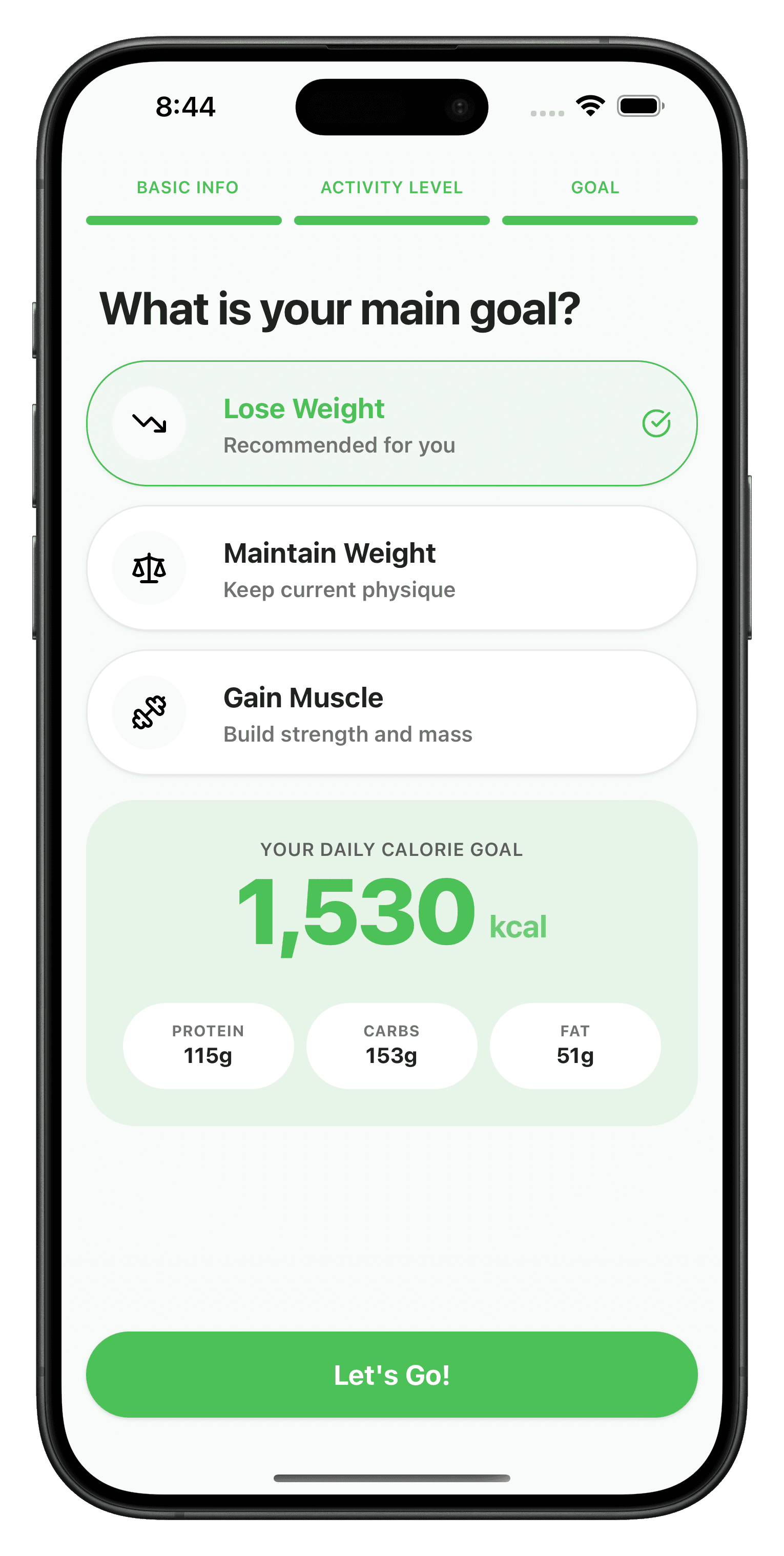
Basic info, activity level, goal — the app calculates a deficit target without making you do the math. You see your daily calories and macros before you hit the dashboard.
Screens
scroll the build →
Tap any frame to zoom.
Under the hood
The full flow runs on mock data today — so patterns get validated before backend work. Architecture is wired so auth, APIs, and persistence plug in without tearing the screens apart.
Three guided steps translate body stats and activity into a daily deficit target — no external calculator, no YouTube tutorial required.
Shared sections and form layouts across 14+ screens keep the experience consistent and make backend hookup a swap, not a rewrite.
Logs, streaks, and progress history use believable data so flows feel like a real app during design iteration — not empty placeholders.
Built with
Why I built it
She wanted to lose weight the right way — caloric deficit, not starvation. Watching her try existing apps showed me the gap: they're built for people who already speak the language. TDEE, macros, net calories — she was learning all of it while trying to use tools that assumed she already knew.
Deficit PH is the app I wanted for her. Explain the target simply. Make logging fast. Show progress in a way that keeps you honest without making you feel dumb. If you've never done deficit before, you should still know what to do today.
Right now it's a high-fidelity UI prototype — every major screen, mock-driven, ready for backend and auth. The product thesis is locked: easier for beginners, sustainable by design, PH-friendly and mobile-first.
Tools that shipped this build.
What landed — and what's still on the list.
I've done beginner-friendly mobile UX from personal motivation — happy to talk apps that need to be simple, not clever.
